Colour Variance
A downloadable tool
Color Variance is a Krita docker plugin that automatically shifts your
foreground colour while you paint — creating the kind of subtle, organic
variation that makes digital brushwork feel alive.
No more perfectly uniform strokes. Each mark carries its own slight hue,
saturation, and value — just like traditional media.
─── TWO MODES ───
Per Stroke — Each new stroke gets a slightly different colour, picked
randomly within your chosen variance range. Simple and predictable.
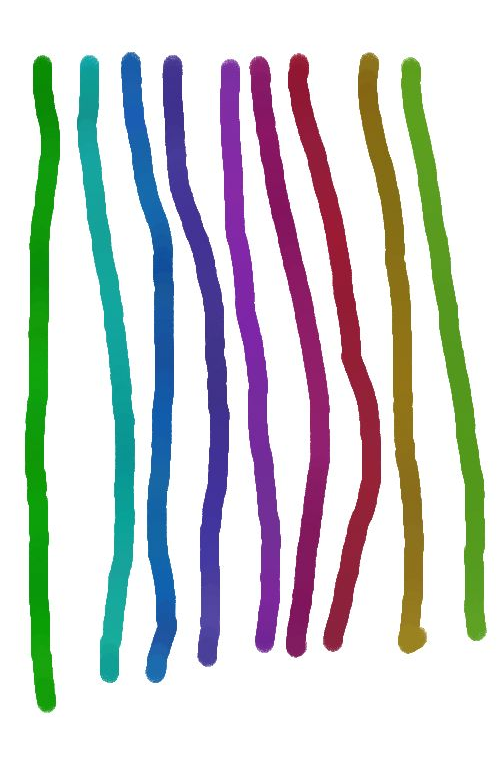
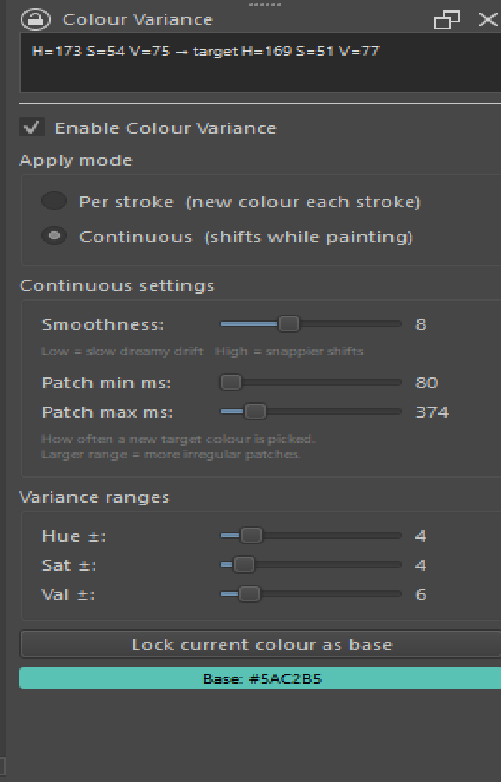
Continuous — While you hold the brush down, the colour drifts organically
toward a new target, then picks another, then another. The result is
smooth, uneven colour shifts mid-stroke — impossible to replicate manually.
─── CONTROLS ───
- Hue ± / Saturation ± / Value ± — how far colours can wander from your
locked base colour
- Smoothness — how fast the colour drifts (slow = dreamy, high = snappy)
- Patch interval min/max — how often a new target colour is chosen,
picked randomly each time for irregular, natural-feeling patches
- Lock current colour as base — sets your starting point
─── INSTALLATION ───
1. Go to Settings > Manage Resources > Open Resource Folder in Krita
2. Navigate to the pykrita/ folder
3. Copy the color_variance/ folder AND color_variance.desktop into pykrita/
4. Restart Krita
5. Enable via Settings > Dockers > Color Variance
Requires Krita 5.2 or newer. Works on Windows, Linux, and Mac.
A full README is included in the zip.
─── KNOWN LIMITATION: CONTINUOUS MODE + LOW OPACITY ───
Due to how Krita's opacity model works, continuous mode has one caveat:
when a stroke break happens to apply a new colour, the new segment
compounds opacity on top of the previous one. At 55% brush opacity, any
overlap becomes roughly 80%, creating a slightly darker blob at the
break point.
This is a fundamental Krita limitation — there is no way to change the
active stroke colour mid-stroke without starting a new segment.
The practical solutions:
- Use Per Stroke mode for low-opacity work — colour shifts cleanly
between strokes with zero compounding. Works perfectly at any opacity.
- Use Continuous mode at 100% brush opacity — no compounding, no blobs.
Control transparency via layer opacity instead of brush opacity.
The plugin includes a warning label in the UI as a reminder.
TOOL COMPATIBILITY
The plugin has been tested with standard round brushes and most
default Krita brush presets. Some specialised brush engines may
behave differently with the stroke-break system.
If the plugin doesn't work correctly with a specific brush or tool,
feel free to leave a comment below with the brush name — I'll look
into it and update the plugin where possible.
Purchase
In order to download this tool you must purchase it at or above the minimum price of 8.00€ EUR. You will get access to the following files:
Comments
Log in with itch.io to leave a comment.
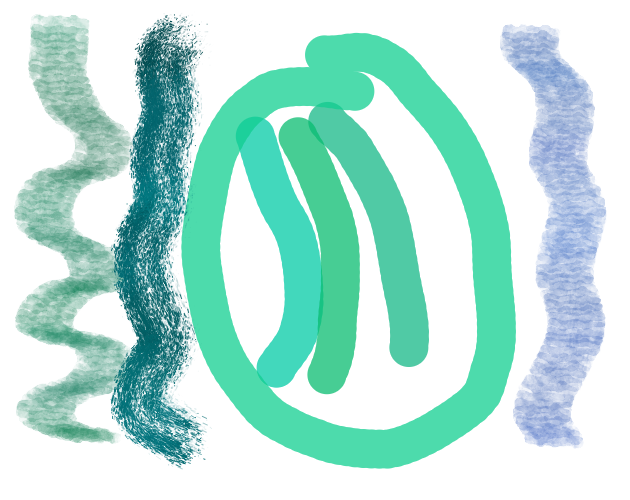
Terribly sorry about the horrible art, but I'm more of a texture guy and I'm using this tool to fill in certain areas. I definitely think it's a great tool to use for stuff like water painting and similar.